Build FiveM servers.Test them right in the game.

Shape the world, put mechanics together without code and design clothing, then check everything in GTA V. In one app, on your own or with help from Claude.

The Free plan costs nothing and never expires. Your first sign-in in the studio gives you 7 days of the Server plan, no card needed.

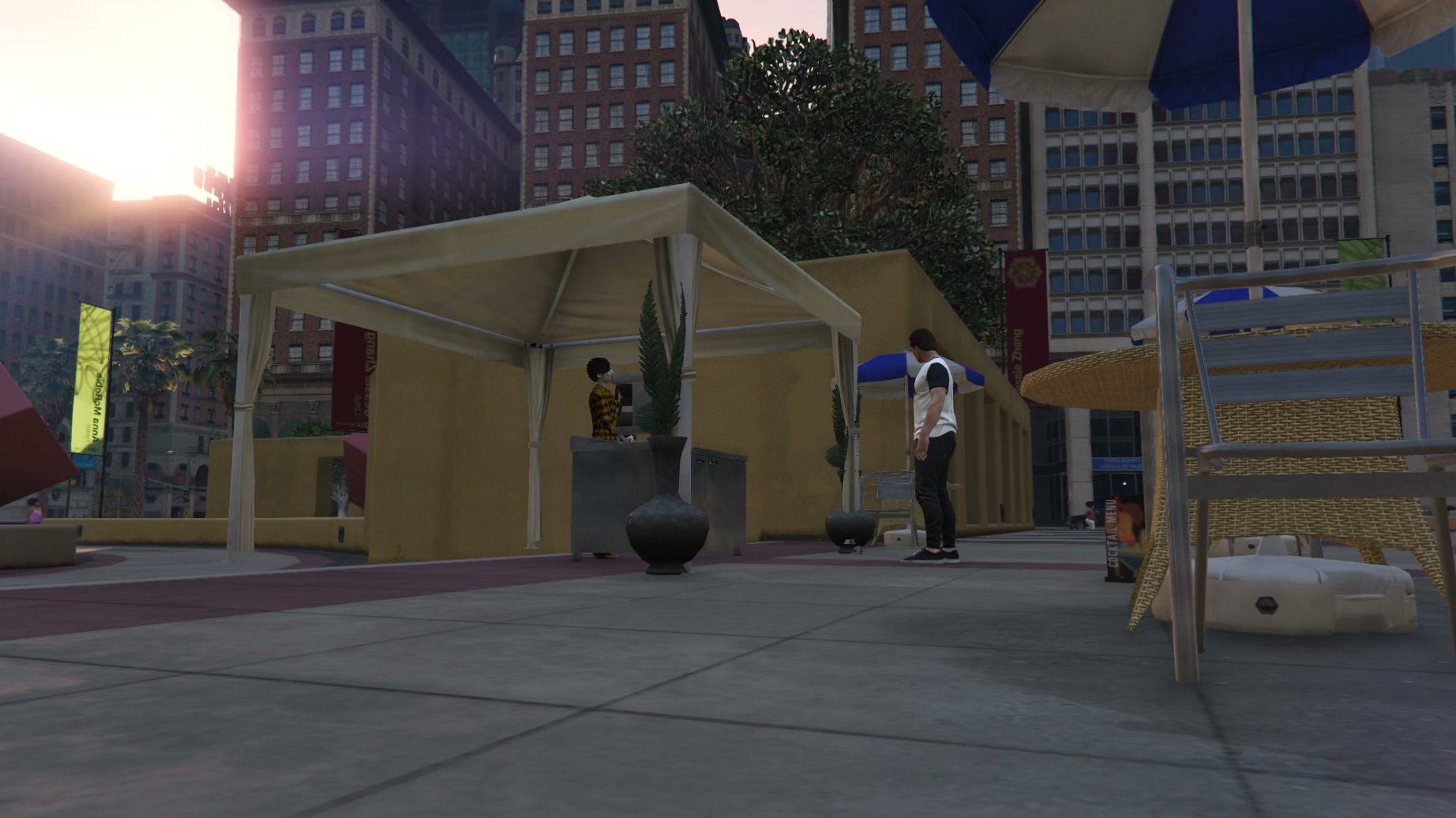
Claude builds a café in the demo project, one object at a time.Footage from GTA V with a FiveM server.

In the background: footage from GTA V with a FiveM server.

Get started in three steps

Download, sign in with Discord and start your server. The first 7 days of the Server plan are free.

  1. Download the installer

    Webexe Studio for Windows 10 and 11 (64-bit). The Free plan costs nothing and never expires.

    Download for free
  2. Sign in with Discord

    Use your Discord account, no new password and no card. Your first sign-in in the studio gives you 7 days of the Server plan, then stay on Free or pick a plan.

    Sign in with Discord
  3. Click “Play”

    Create a project with Qbox, ESX, QBCore, ox_core or no framework, or import your own server. “Play” starts the server, the database and the game inside the studio window.

    See the demo

What you can do in the studio

Every tool works on a live server. Change something in the studio and see it in the game, in the same window.

Build the world right inside the game

Press F5 in the game to switch to the editor camera. Place props, vehicles and NPCs where you look, then move and rotate them with handles.

  • Props, NPCs, vehicles, zones, doors, blips and markers
  • Draw zones in the game as polygons
  • The scene is an ordinary resource that runs without the studio
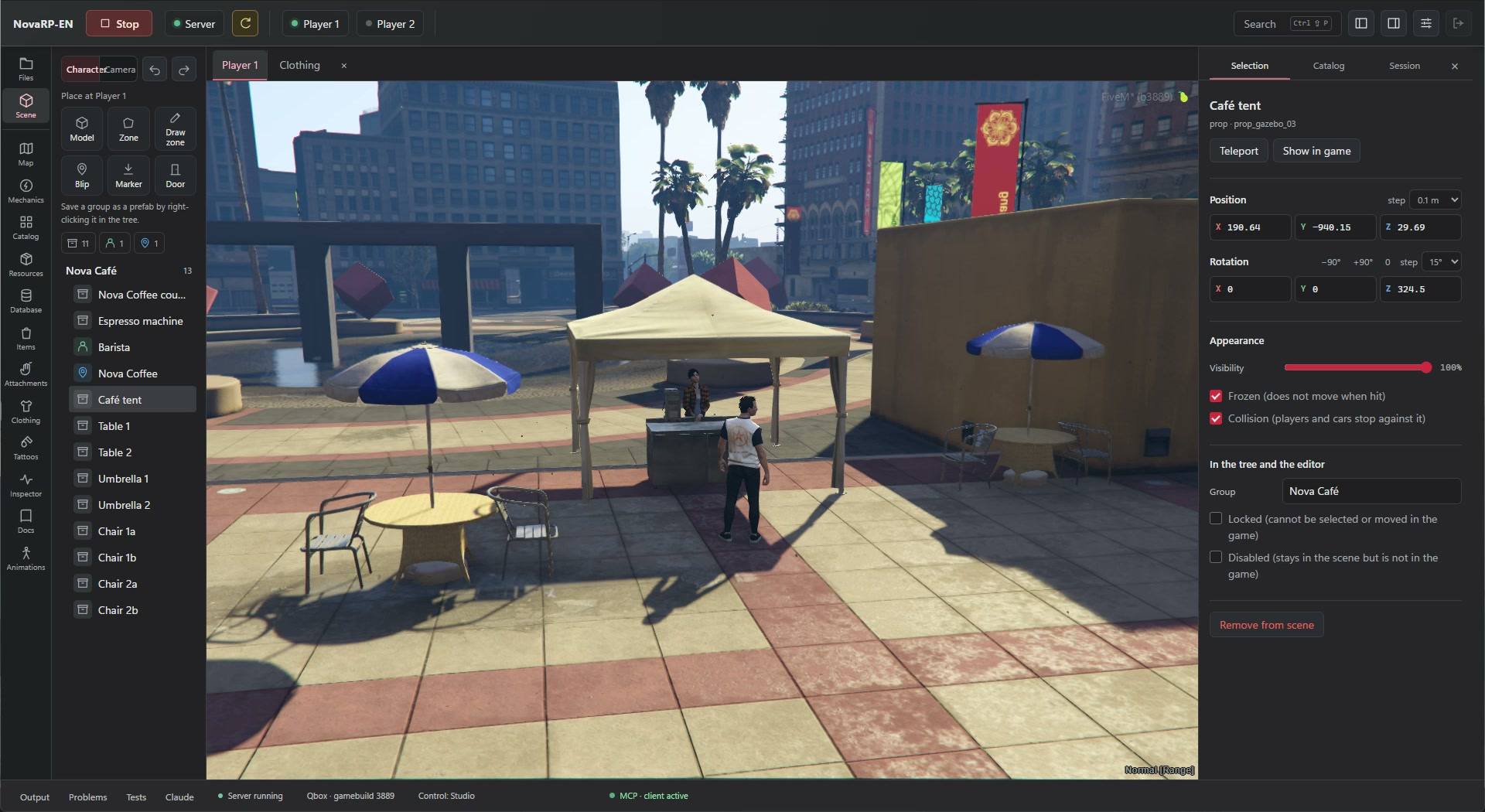
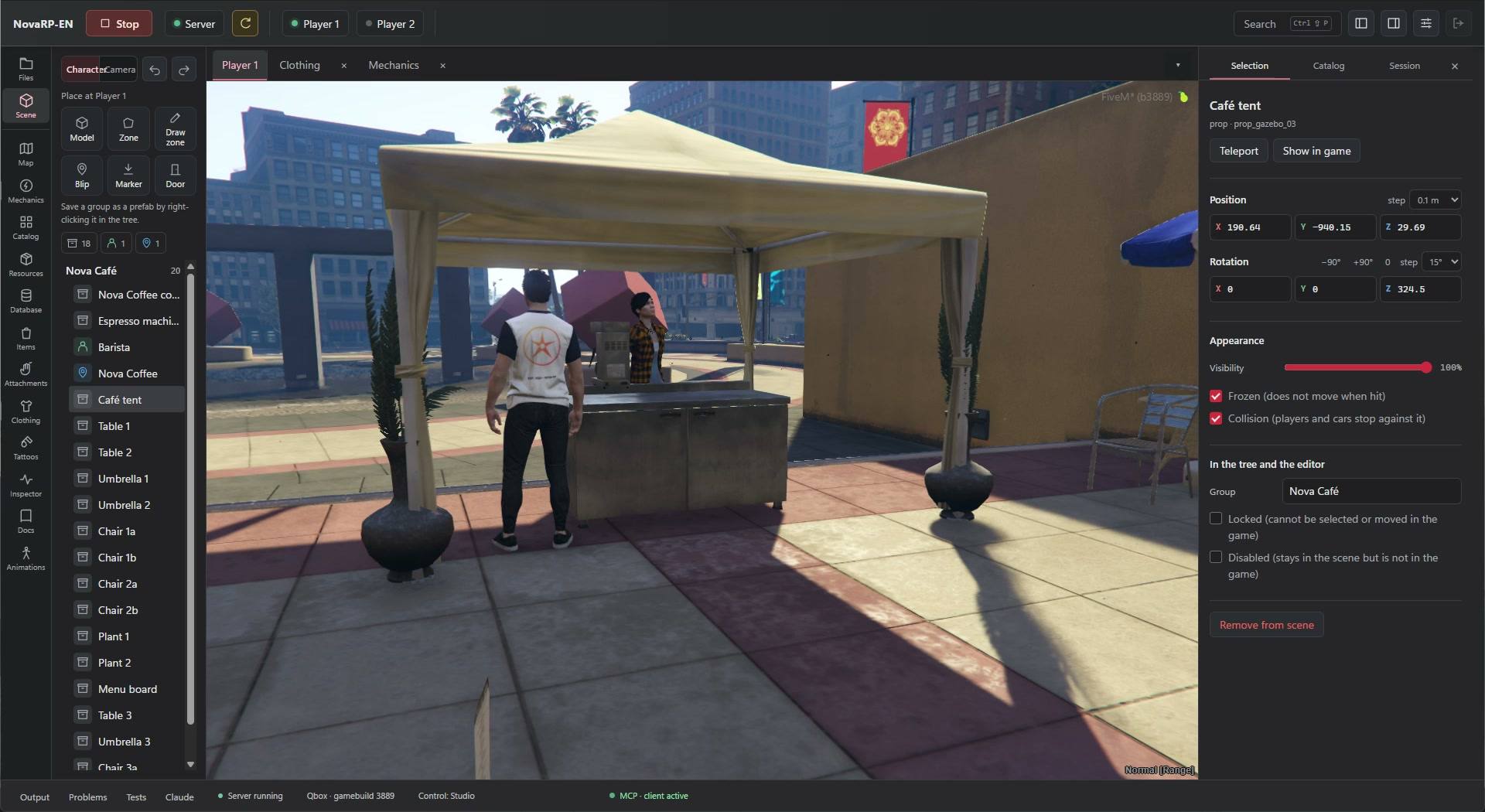
The scene editor: Nova Café objects on the left, the live game in the middle, position and settings of the selected object on the right.
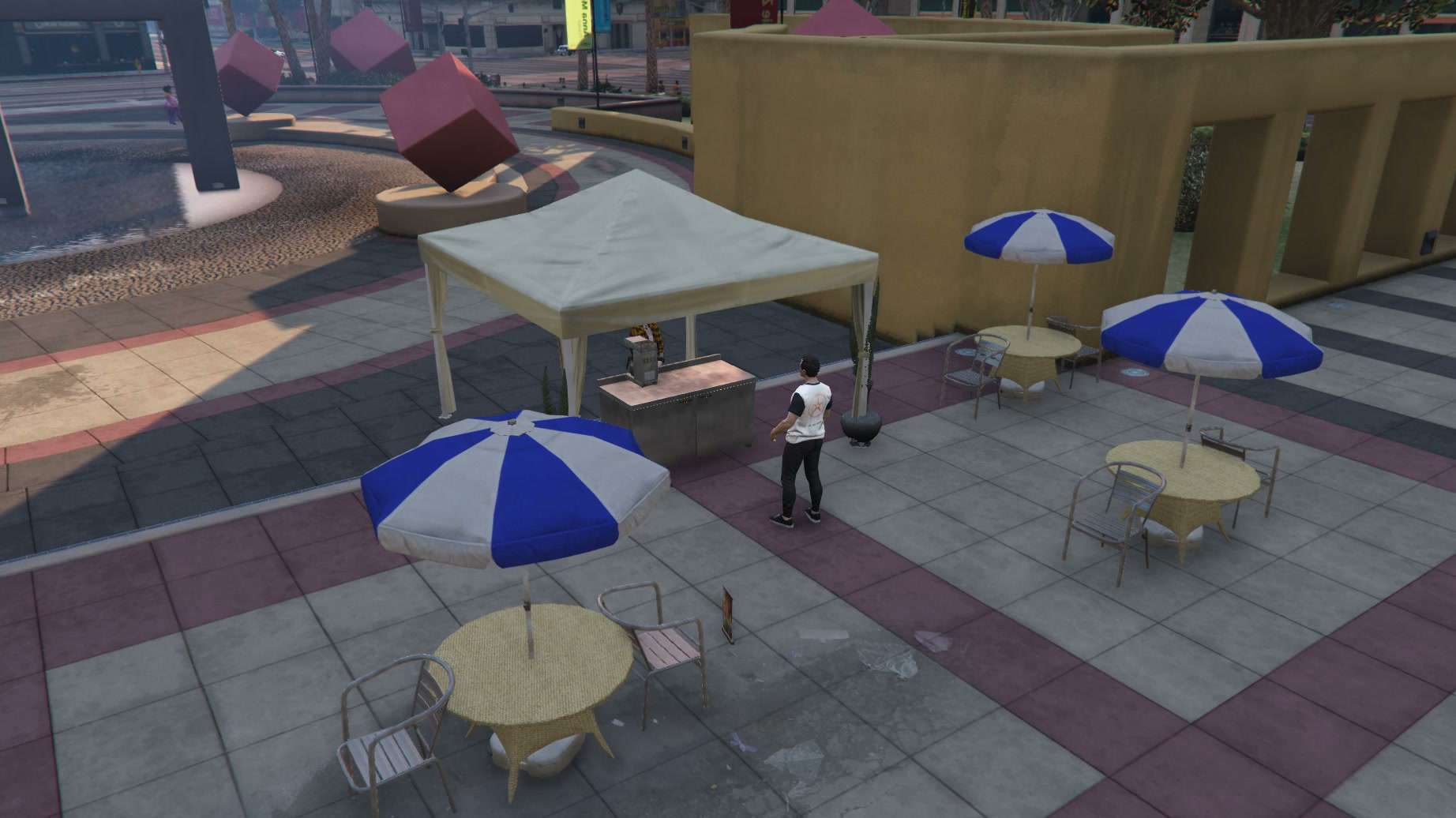
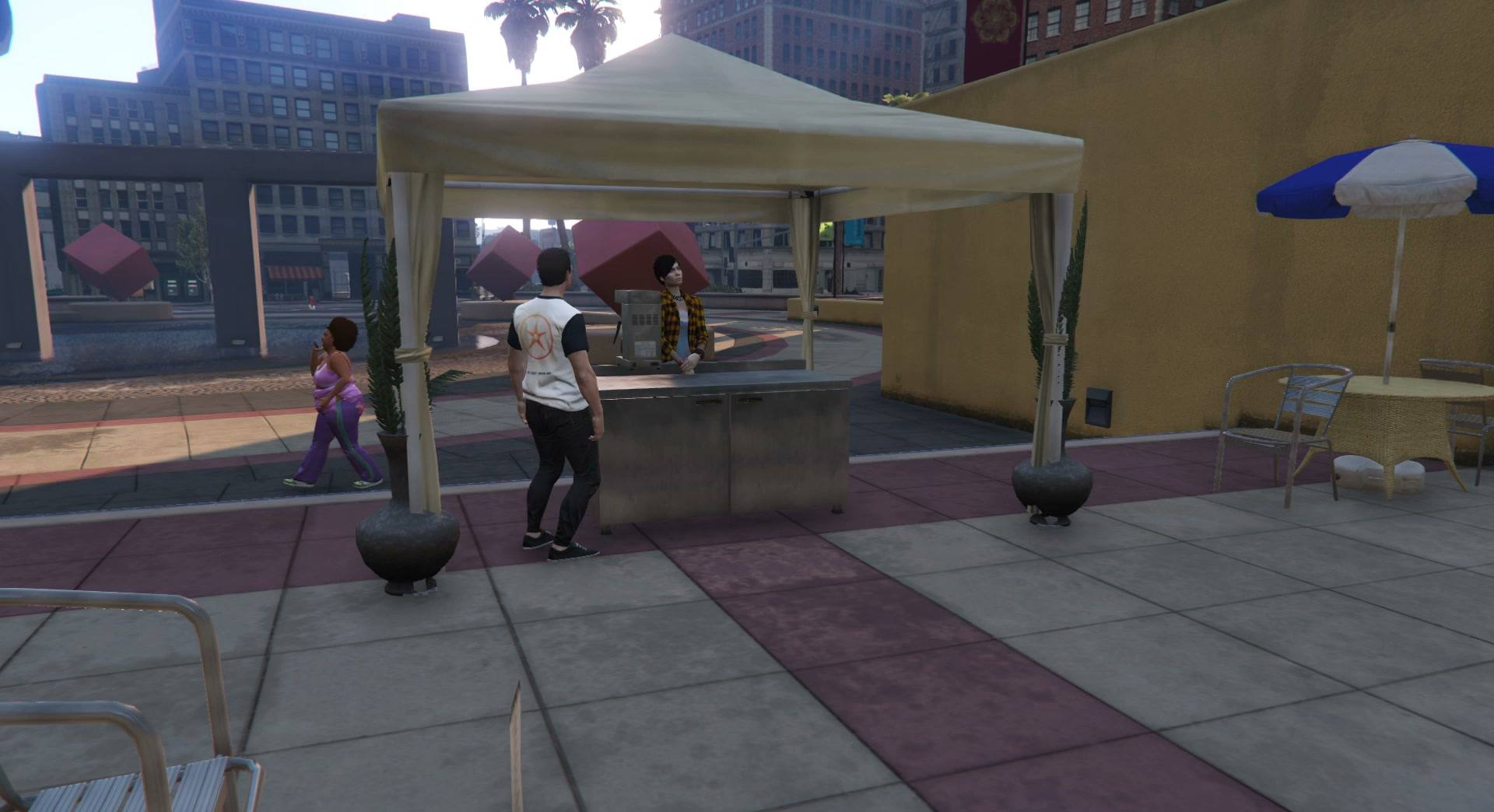
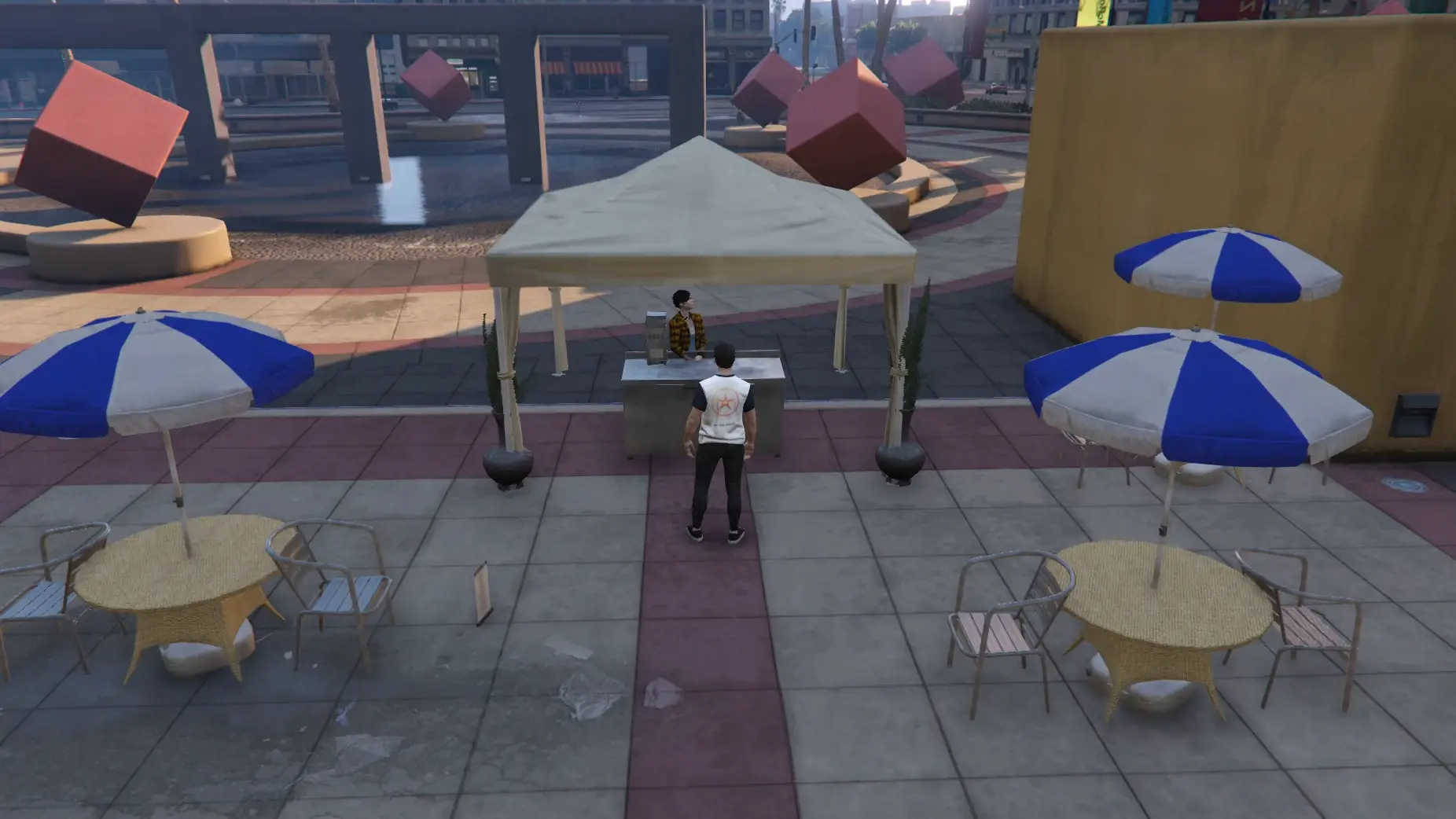
The Nova café from above: the tent, tables and parasols on the square.
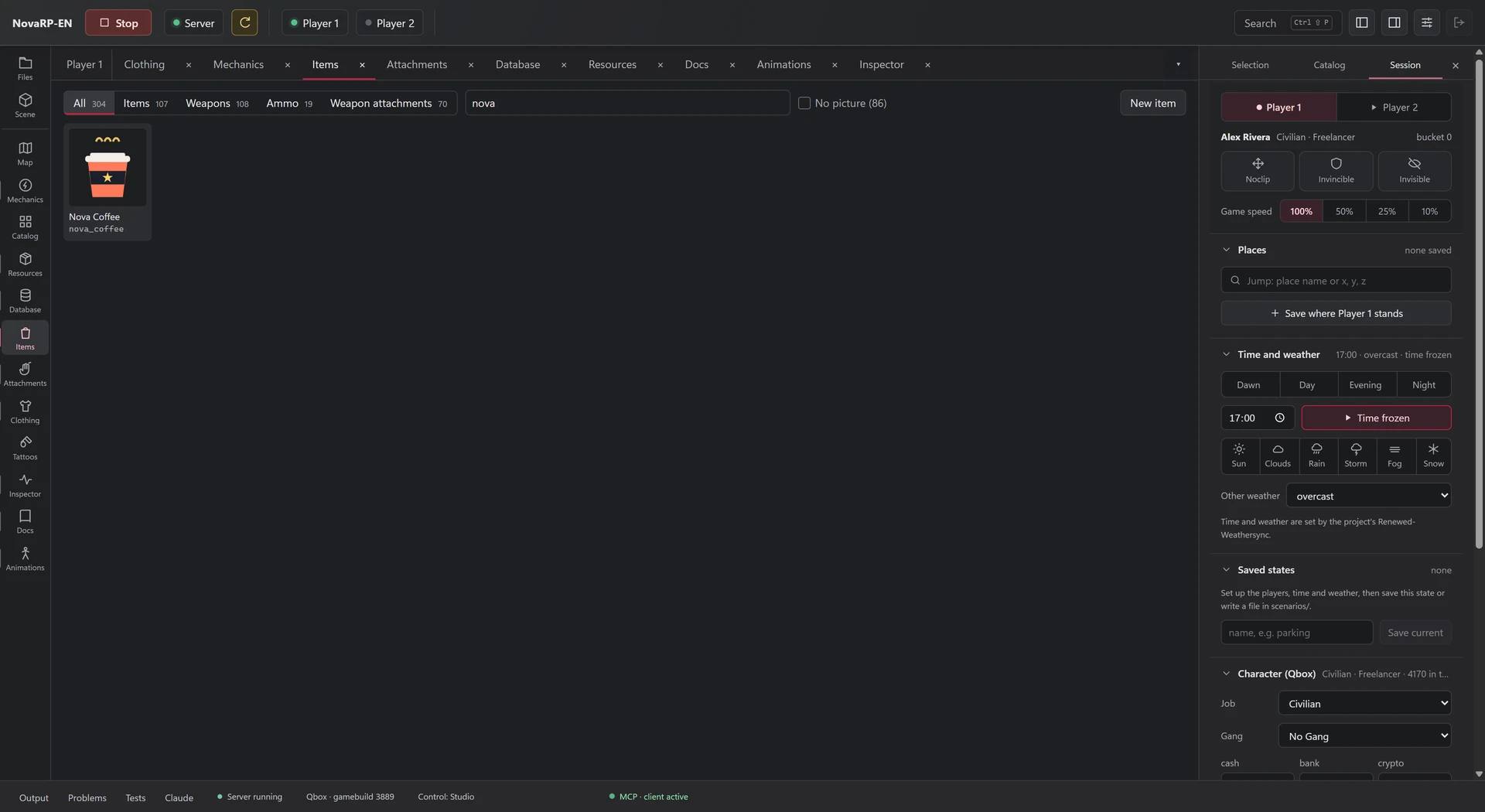
The Nova Coffee item and the Session panel: time of day, weather and the test character.

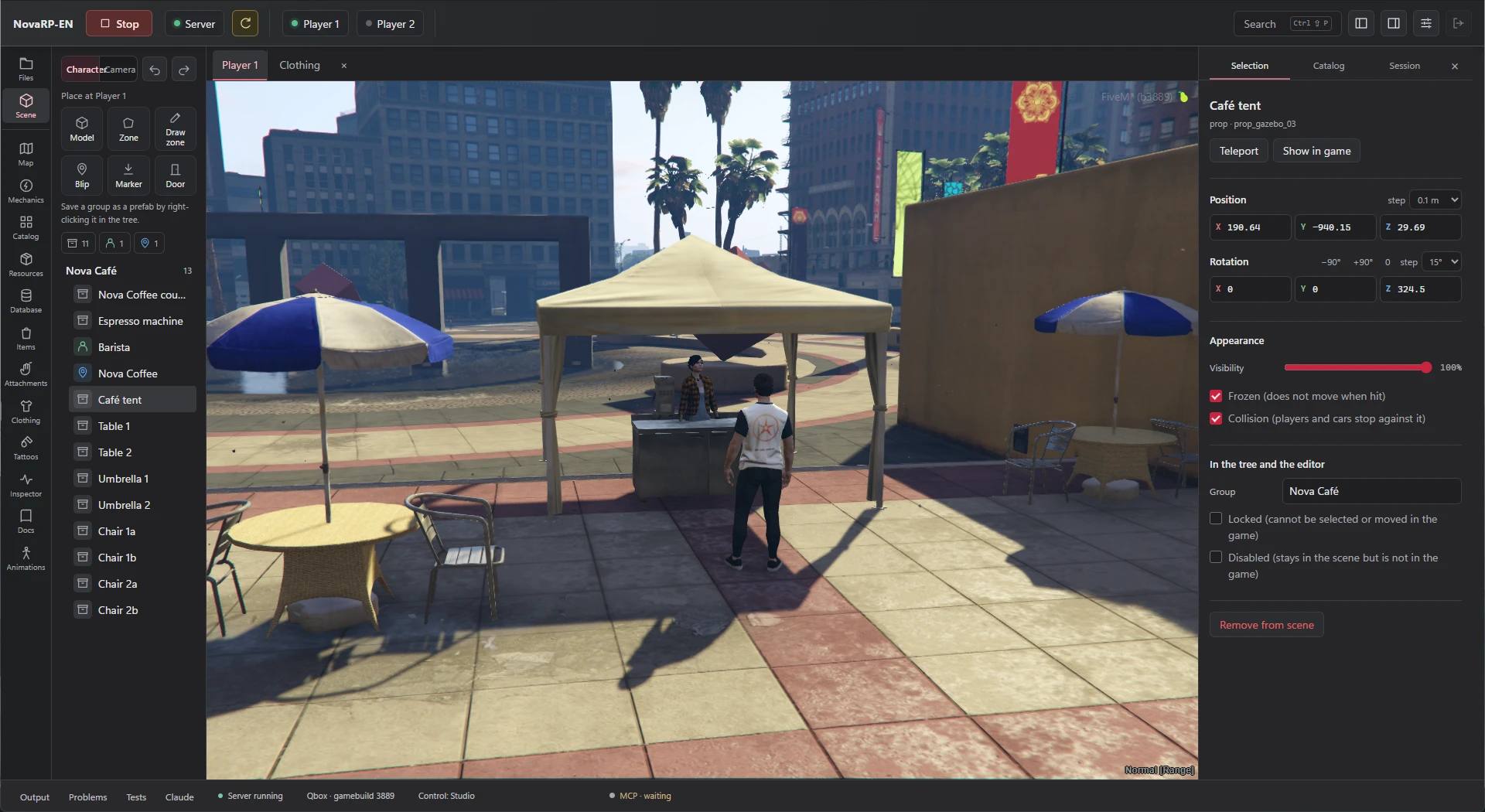
The scene editor: Nova Café objects on the left, the live game in the middle, the selected object’s settings on the right.Screenshot from GTA V with a FiveM server.

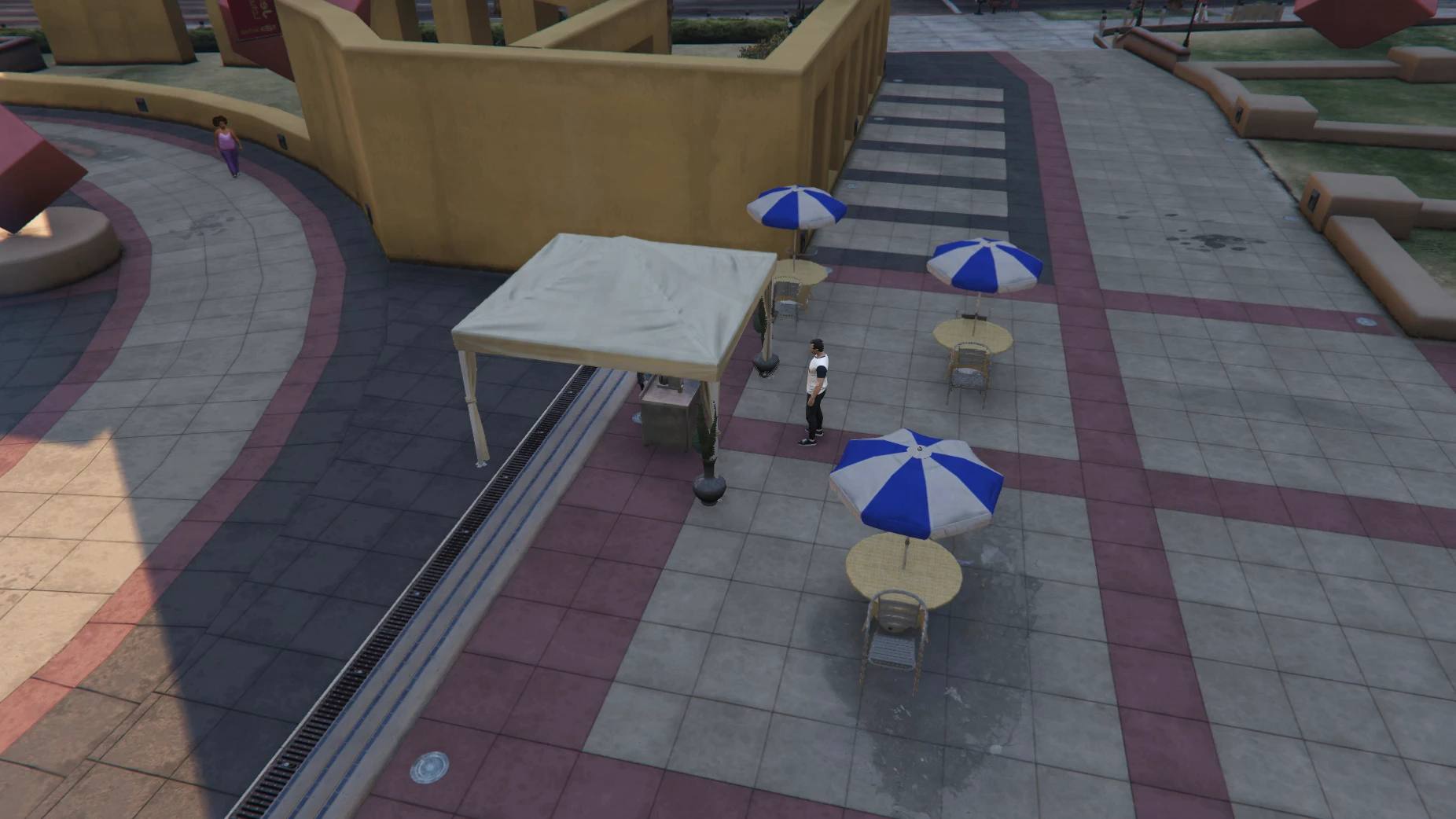
The same café in the game, seen from above.Screenshot from GTA V with a FiveM server.

The Session panel: time of day, weather and the test character, next to the Nova Coffee item.

Mechanics without writing code

Choose what a mechanic works on, what triggers it, its conditions and what it does. “Try on Player 1” checks it in the game right away.

  • Targeting, “E” nearby, zones, items, keys, commands
  • Payments, progress bars with animations, items, shops, stashes
  • The server checks distance and conditions before running steps

Free: up to 3 mechanics. Unlimited from the Creator plan.

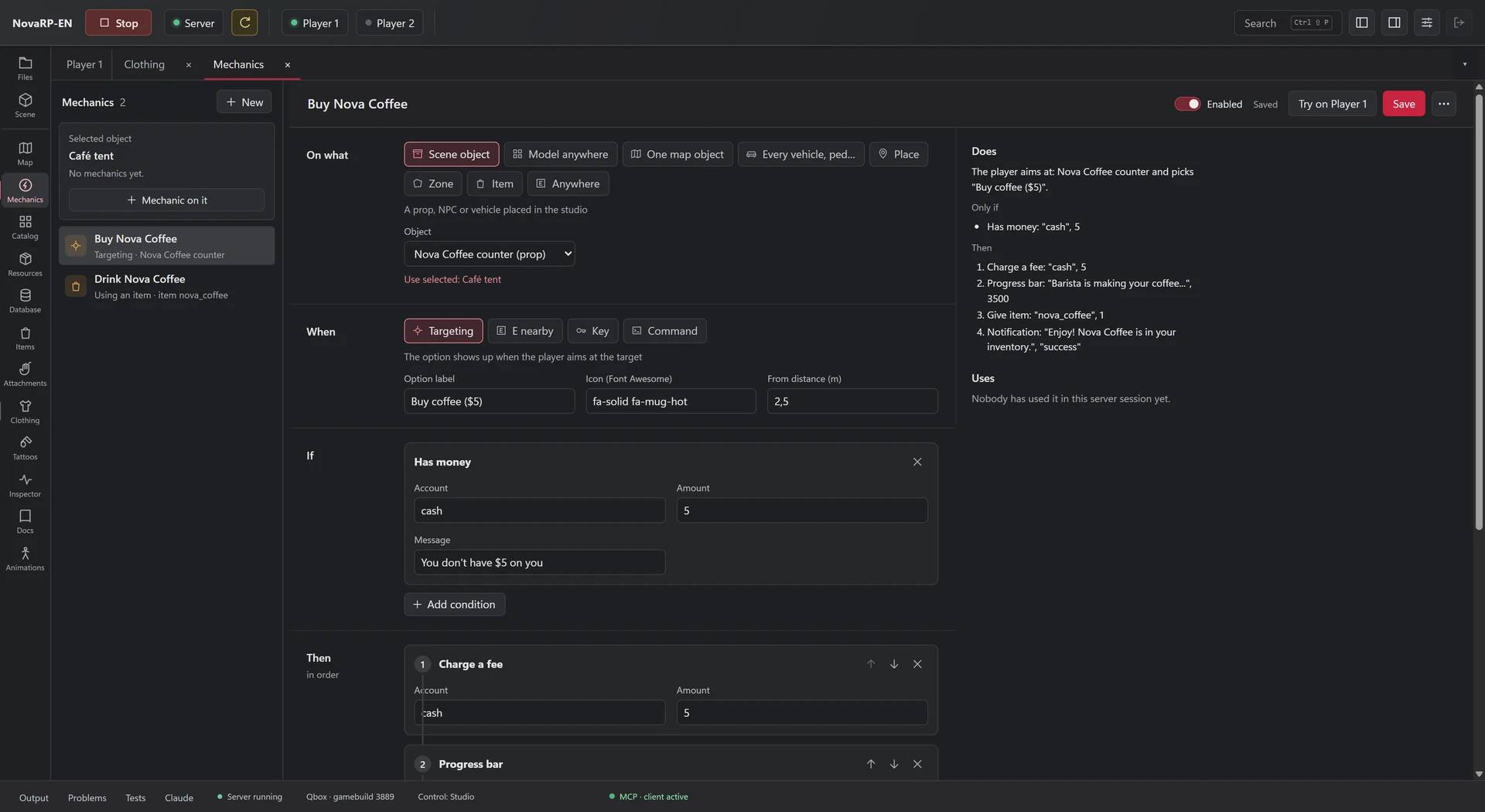
The “Buy Nova Coffee” mechanic form: what it works on, targeting as the trigger, a “has money” condition and a plain-language summary.
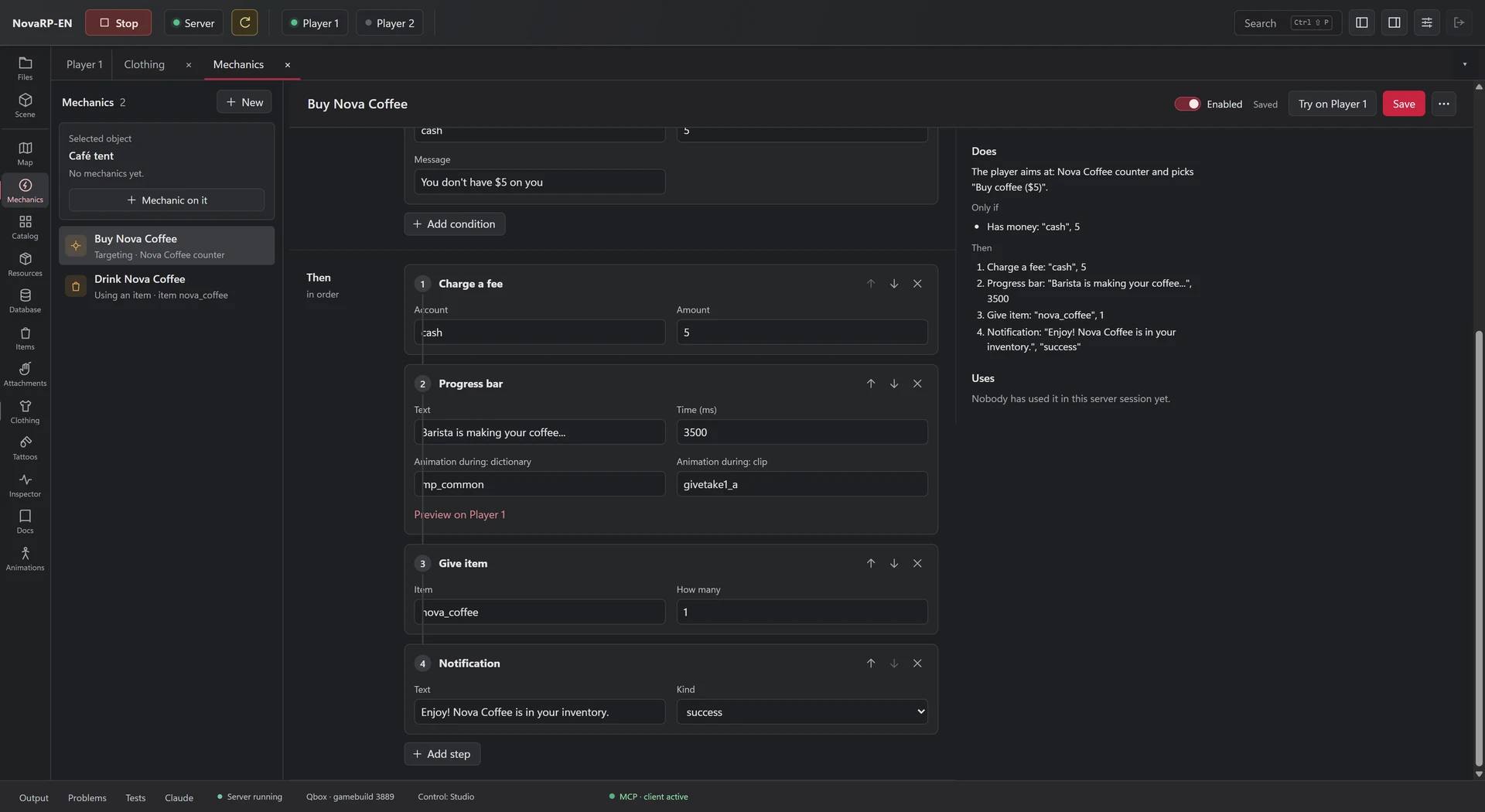
Mechanic steps: a fee, a progress bar with an animation, an item and a notification.

Buying a coffee in the game, inside the studio window: payment, progress bar, the coffee in the inventory and a notification.Footage from GTA V with a FiveM server.

The “Buy Nova Coffee” mechanic: what it works on, the trigger and the condition, with a plain-language summary.

Steps in order: fee, progress bar with an animation, item, notification.

Clothing and tattoos without Blender

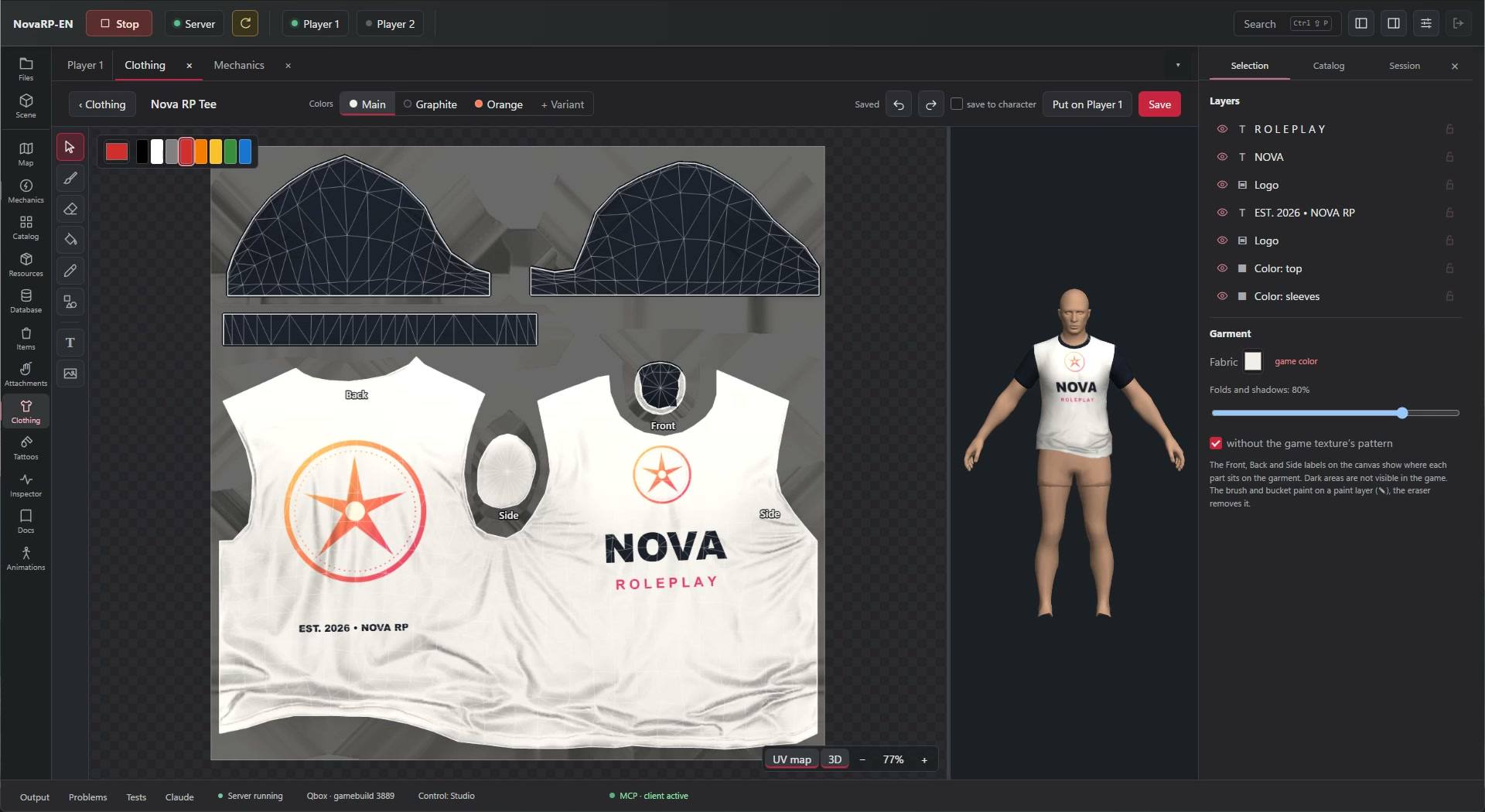
Design like in a graphics editor: layers, text, patterns, a brush and a live 3D preview. Save, and a few seconds later the clothing is in the game, no server restart.

  • T-shirts, hoodies, jackets, trousers, shoes, hats and accessories
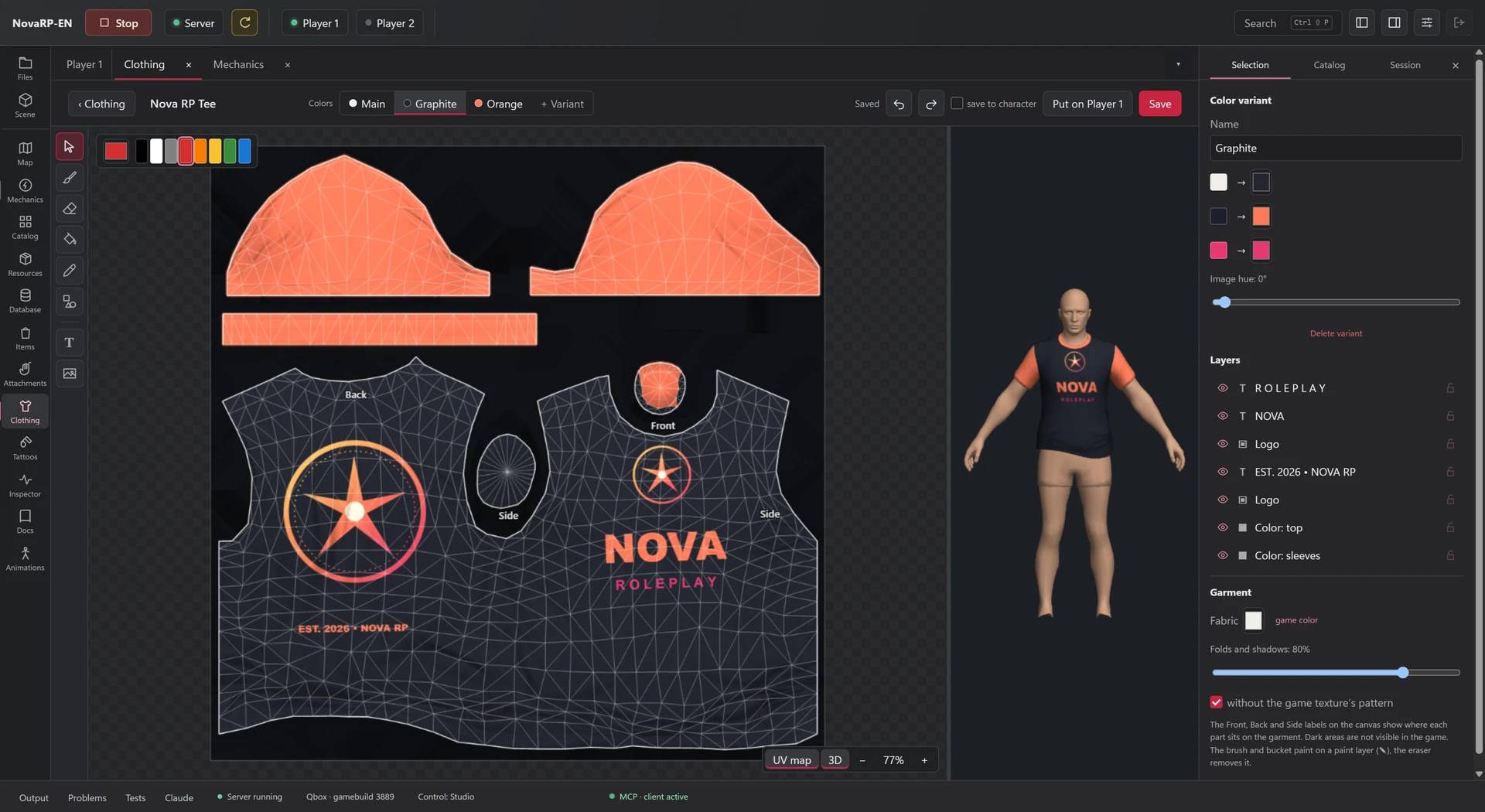
  • Colour variants in one click
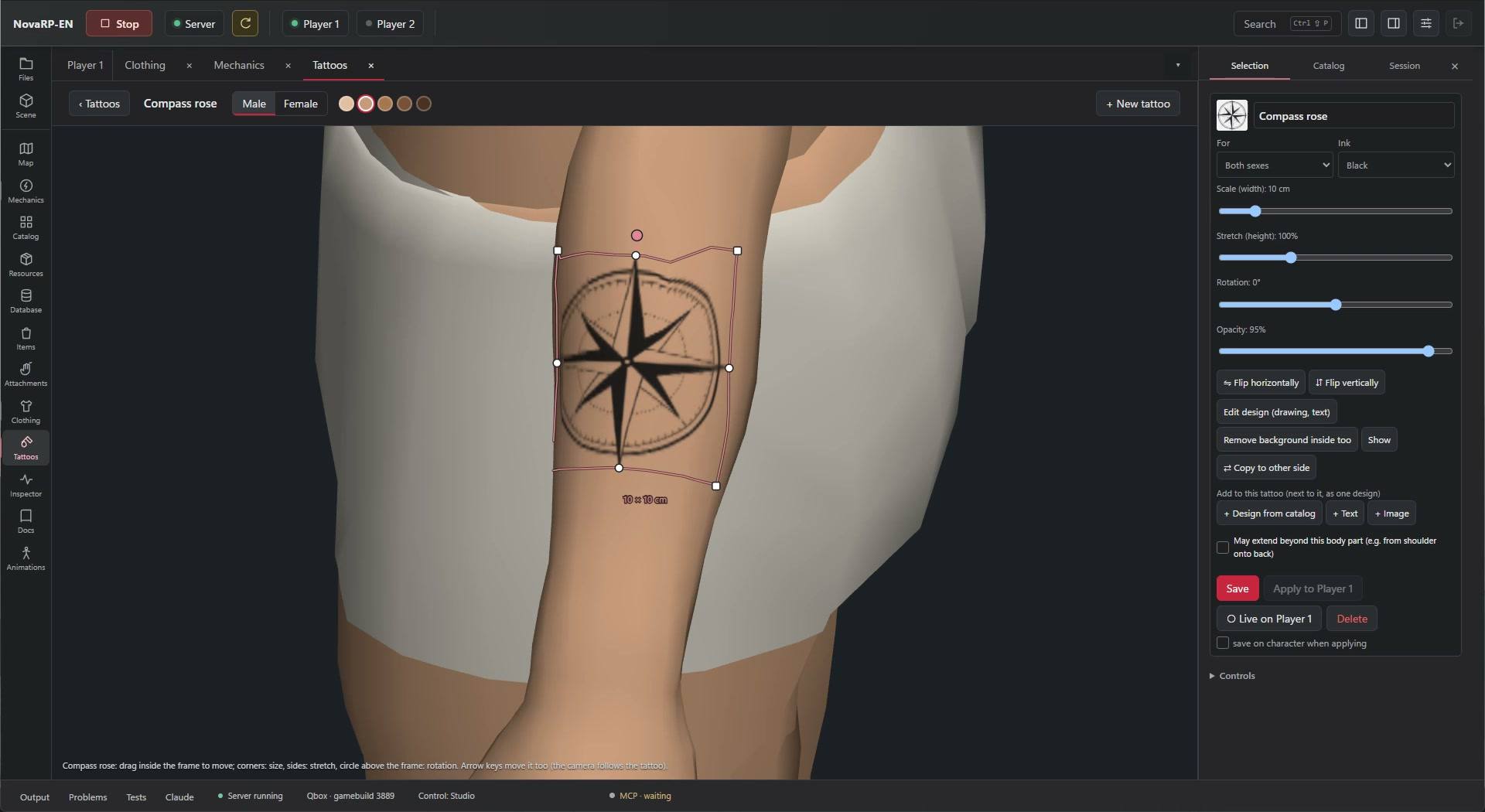
  • Tattoos placed right on the character’s skin

Preview on every plan. Export from the Creator plan.

The Graphite variant of the tee: colour mapping and a 3D preview on the character.
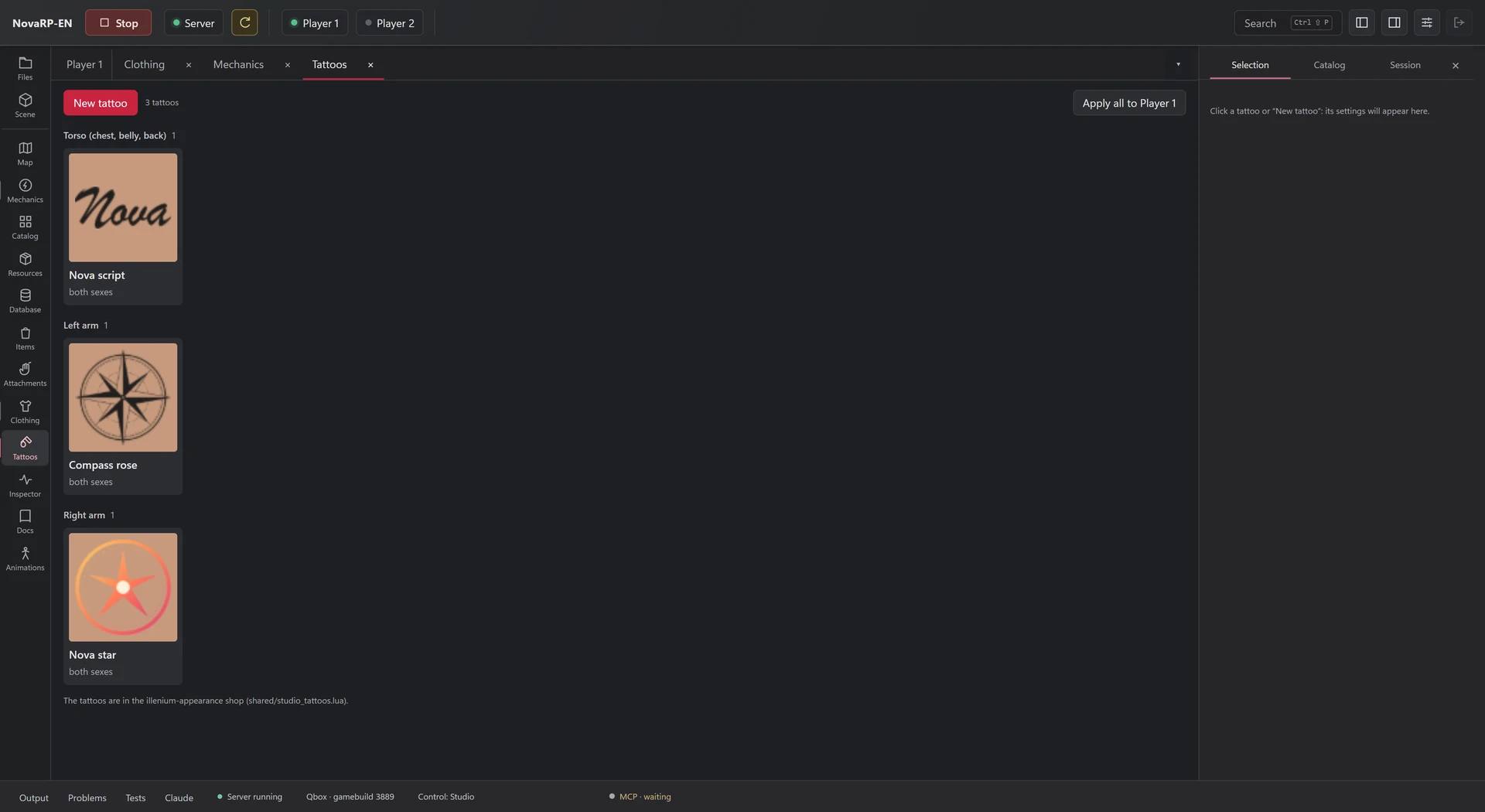
The tattoo library: Nova script, a compass rose and a Nova star.

The clothing designer: the Nova RP Tee, the 3D model from every side and colour variants.

The Graphite variant of the same tee: colour mapping and the 3D preview.

The tattoo designer: moving a compass rose along the arm while the camera follows it.

The tattoo library: Nova script, a compass rose and a Nova star.

Describe a change, Claude makes it

Claude works on the open project through the studio’s tools. In this video it builds a café in the demo project, and each object shows up in the game right away.

  • Claude Code or Claude Desktop, connected through MCP
  • Every step Claude takes shows up in Output
  • Without Claude, every tool works by hand

Claude is not included. You need your own Claude account.

Claude builds the café one object at a time: plants, a menu board, a table, a parasol and chairs.Footage from GTA V with a FiveM server.

Test with two players on one PC

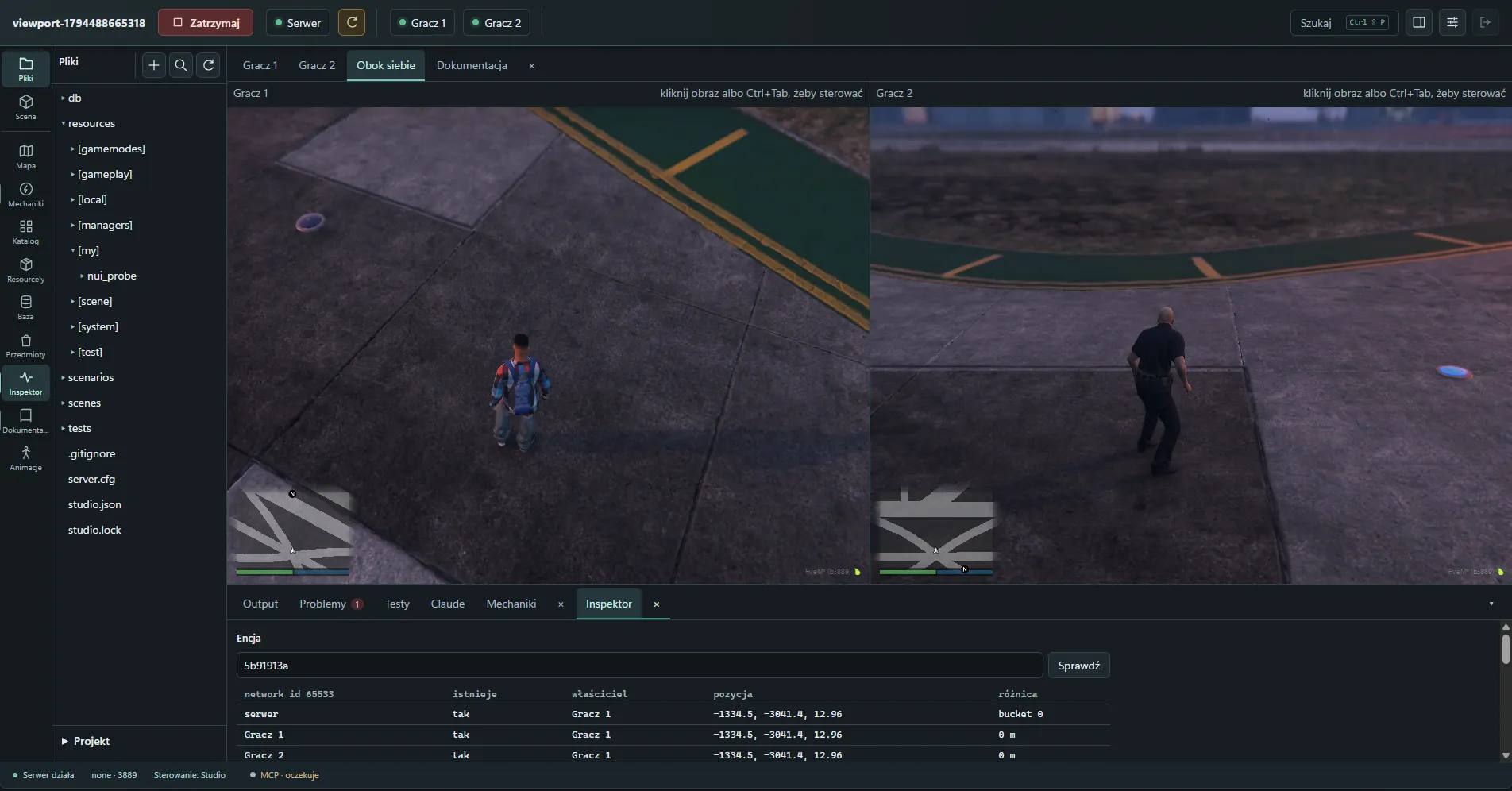
Player 2 is a second game client in the same window. Check sync, routing buckets and interactions between players without finding someone to test with.

  • Side-by-side view, switch with Ctrl+Tab
  • The Inspector shows an object the way the server and each player see it
  • Scenarios restore positions, weather, jobs and inventories

In the Server and Studio plans.

The studio window with two game clients side by side, Player 1 and Player 2, and the Inspector below showing one object’s state on the server and for both players.
Player 1 and Player 2 in the studio window, with the Inspector below.Screenshot from GTA V with a FiveM server.

Code, logs and resources in one place

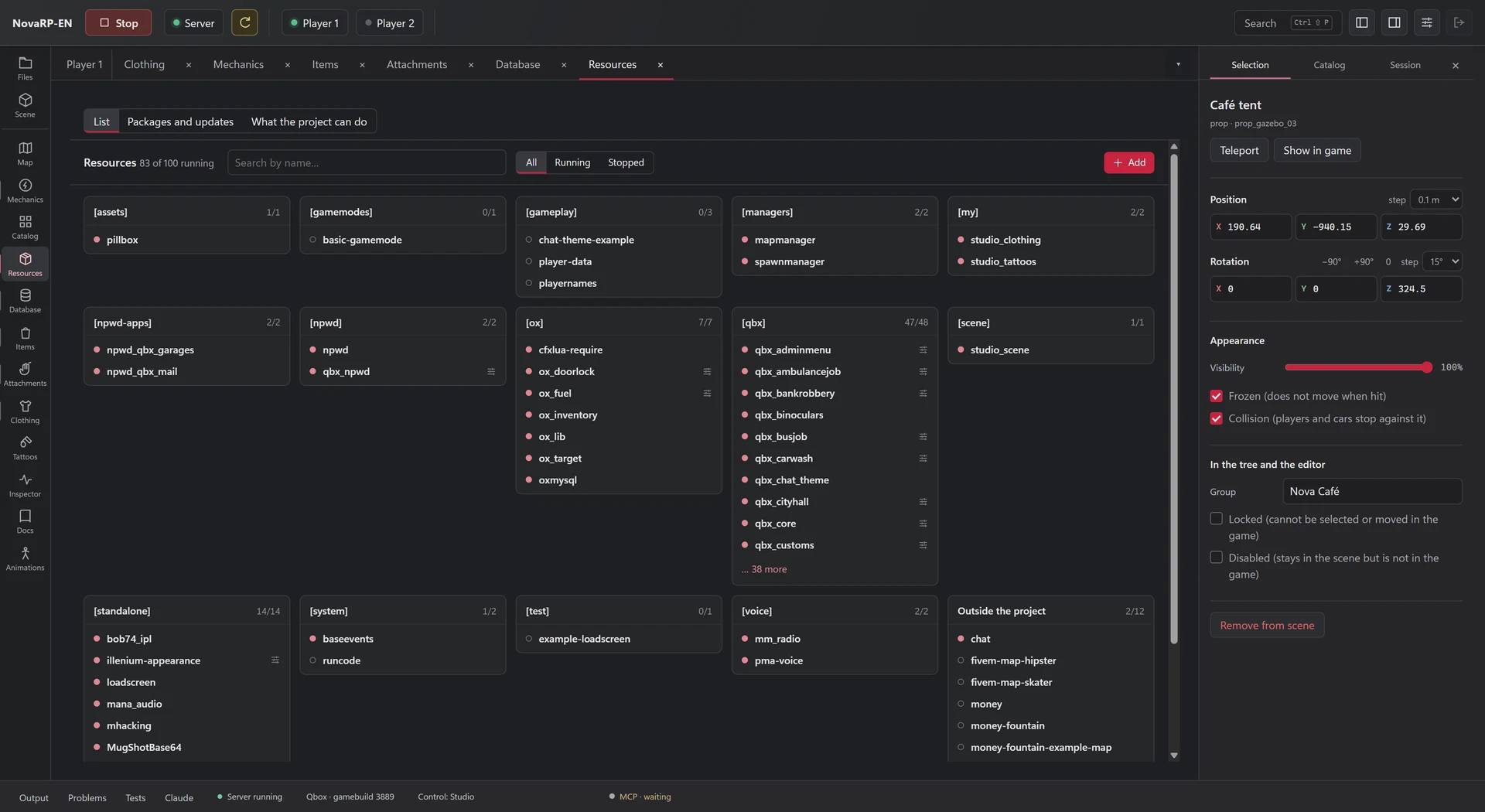
Saving a file restarts the resource it belongs to. Script errors go to Problems with the file and line, and logs from the server, players and Claude share one Output.

  • Resources from GitHub and forum.cfx.re: install, update, restart
  • Database: tables, SQL queries and migrations
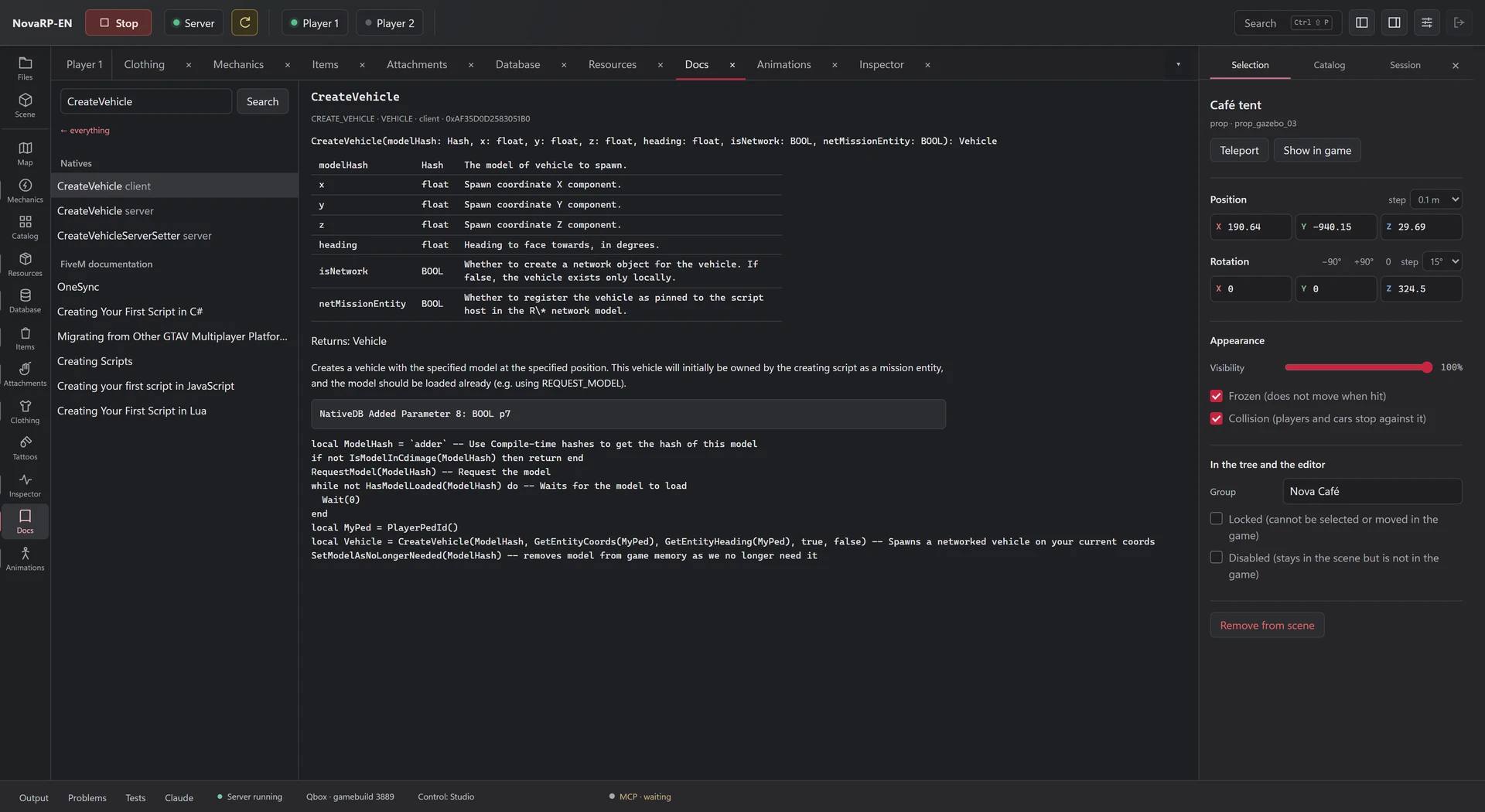
  • Natives and FiveM docs built into the app
Server resources by group, running and stopped.
Built-in docs: the CreateVehicle native with its parameters and an example.

Server resources by group, split into running and stopped.

Built-in docs: the CreateVehicle native with its parameters and an example.

A coffee counter without a line of code

A mechanic from the demo project. You build it from a form and see it in the game right next to it. Each row lights up at the moment it happens in the footage.

Buy Nova Coffee

  1. On whatNova Coffee countera prop placed in the studio
  2. WhenTargetingoption “Buy coffee ($5)”, up to 2.5 m
  3. IfHas moneycash, $5
  4. ThenCharge a feecash, $5
  5. Progress bar“Barista is making your coffee…”, 3.5 s with an animation
  6. Give itemNova Coffee × 1
  7. Notification“Enjoy! Nova Coffee is in your inventory.”

Next in the footageDrink Nova Coffeea second mechanic, on item use

Footage from GTA V with a FiveM server.

Recent uses in the game

  1. Buy Nova CoffeePlayer 1: worked
  2. Drink Nova CoffeePlayer 1: worked

Nobody has used it in this server session yet.

You get a working resource

The scene, mechanics, items and clothing are saved in your project as ordinary server files. They run without the studio, in production too.

Download for free

Project files

  • resources/[scene]/studio_scenethe café scene and mechanics
  • resources/[my]/studio_clothingthe Nova T-shirt and its variants
  • ox_inventory/data/items.luathe “Nova Coffee” item

Describe what you want and Claude builds it in the studio

The studio runs its own MCP server. Connect Claude Code or Claude Desktop, and Claude works on the open project with the same tools you use.

Footage from GTA V with a FiveM server.

YouExample prompt

Put a small café on the square: a tent with a counter, two tables with parasols, and chairs.

Output

  1. OKscene_addprop_gazebo_03
  2. OKscene_addprop_table_05
  3. OKscene_addprop_parasol_04b
  4. OKscene_addprop_chair_01a
  • It reads and edits files, restarts resources, and checks logs and Problems.
  • It queries the database, looks up natives in the docs and runs tests.
  • From the Creator plan it sees the game: it takes screenshots, runs Lua on the client and uses the Inspector.
  • Works without Claude, too. You can click every tool yourself.
  • Claude is not included. Connect your own Claude Code or Claude Desktop account. We do not resell AI or count credits.
  • You see every step. Claude’s edits are highlighted in the editor, and everything it does shows up in Output.

Pricing

The Free plan never expires. Pick a paid plan when you need more projects, a second player or a license for client servers.

7 days of the Server plan, free

It starts at your first sign-in in the studio, no card needed. It is once per person and computer, and the Discord account must be at least 30 days old. After that your account goes back to Free unless you choose a plan.

Billing

Free

To get started and learn.

$0

Forever, needs a Discord account

  • 1 project, up to 3 mechanics
  • Local server and database, frameworks, server import
  • Code editor, Output, Problems
  • World editor, map, catalog, items
  • Resources from GitHub and forum.cfx.re
  • Player 1 inside the studio window
  • Clothing and tattoos with preview, no export
  • Claude: files, logs, server and database
Creator

For people building their own server.

$29 / mo

or $290 per year

Founder$19 / mo

$290 / yr

instead of $348 paid monthly

Founder$190 / yr

Choose Creator

Sign in with Discord

Everything in Free, plus:

  • Unlimited projects and mechanics
  • Unlimited clothing and tattoo export
  • Animations and attachments
  • Database snapshots before risky changes
  • Claude sees the game: screenshots, client Lua, Inspector

First 7 days free

Server

For RP server owners who test with a second player.

$49 / mo

or $490 per year

Founder$35 / mo

$490 / yr

instead of $588 paid monthly

Founder$350 / yr

Everything in Creator, plus:

  • Player 2 on the same computer
  • Scenarios: positions, weather, job, inventory
  • Lua tests with a report

Coming later

  • Deploy to a VPS
  • Working on a shared server with your team

Studio

For freelancers and studios building servers for clients.

$99 / mo

or $990 per year

Founder$69 / mo

$990 / yr

instead of $1,188 paid monthly

Founder$690 / yr

Choose Studio

Sign in with Discord

Everything in Server, plus:

  • License to build servers for clients
  • Beta channel
  • Priority help on Discord

Coming later

  • Multiple production servers
  • Prices in US dollars, VAT included. Under the monthly price you see the product price and your country’s VAT; nothing is added at checkout.
  • A year costs the same as 10 months. Cancel any time on the account page; your plan runs until the end of the paid period.
  • Claude is not included in the price. To work with Claude you need your own Claude account.
  • Founder: available to 100 accounts at a time. You keep it while your subscription runs without a break.
Compare all features

Screenshot from GTA V with a FiveM server.

Start building your server in Webexe Studio.

The Free plan costs nothing. Your first sign-in in the studio gives you 7 days of the Server plan, no card needed.

Got a question?

Ask on our Discord. You can also report a bug or suggest a new feature there.

Webexe Studio

Click to see it at 100%.